OneEuro Store

Scripts

Explore our high-quality resources in the Scripts category.

Sort By:

No Matching Resources

We couldn't find any resources matching "".

Escrow

Advanced Vehicle Rental Sysyem V2

ADVANCED VEHICLE RENTAL V2

A premium, modern, and fully immersive vehicle rental solution built for serious FiveM roleplay servers.

Advanced Vehicle Rental V2 has been completely redesigned with a brand-new user interface, powerful customization options, and several immersive gameplay improvements that create a realistic long-term vehicle rental experience.

Built with performance, stability, and persistence in mind, every rental is securely stored in the database, allowing players to rent, store, retrieve, and manage vehicles without losing progress, even after server restarts.

SHOWCASE

Add your showcase video here.

OVERVIEW

Advanced Vehicle Rental V2 automatically saves every active rental directly into the database, including rental duration, vehicle status, ownership information, rental documents, and rental keys.

Players can safely store rented vehicles during the rental period and retrieve them at any time before expiration. Every rental remains persistent through server restarts, providing a smooth and uninterrupted roleplay experience.

The system has been completely redesigned with a modern UI, extensive customization options, and interactive rental mechanics to make every rental feel more realistic and engaging.

WHAT'S NEW IN V2

Completely redesigned modern user interface

Highly customizable configuration

Find My Vehicle feature for quickly locating rented vehicles

Interactive Rental Paper item

Interactive Rental Key item

Rental Keys display exactly which rented vehicle they belong to

Rental Papers display complete rental information including vehicle details and ownership information

Improved player interaction and immersive roleplay experience

Better optimization and smoother overall performance

Cleaner workflow with improved usability

CORE FEATURES

Fully database-driven rental system

Real-time rental duration tracking

Persistent rentals after server restart

Store and retrieve rented vehicles

Automatic rental validation system

Modern customizable user interface

Interactive rental documents

Interactive rental keys

Find My Vehicle system

Optimized and lightweight performance

Developer-friendly configuration

Clean and immersive workflow

Easy integration with existing servers

Stable long-term performance

VEHICLE KEY SUPPORT

qs-vehiclekeys

qb-vehiclekeys

sna-vehiclekeys

qbx-vehiclekeys

wasabi_carlock

dusa_vehiclekeys

velia_carkeys

renewed-vehiclekeys

tgiann-vehiclekeys

ak47_vehiclekeys

ak47_qb_vehiclekeys

p_carkeys

mrnewb_vehiclekeys

brutal_vehiclekeys

sy_carkeys

mVehicle

old qb-vehiclekeys

custom qb-vehiclekeys

wx_carlock

jaksam_keys

0r_vehiclekeys

msk_vehiclekeys

FUEL SYSTEM SUPPORT

cdn-fuel

ox_fuel

LegacyFuel

qs-fuel

rcore_fuel

codem-xfuel

lc_fuel

stg_fuel

Option to disable fuel support

INVENTORY SUPPORT

ox_inventory

qb-inventory

TARGET SUPPORT

ox_target

qb-target

DEPENDENCIES

ox_lib

WHY CHOOSE ADVANCED VEHICLE RENTAL V2

Advanced Vehicle Rental V2 is designed to provide one of the most complete and immersive rental experiences available for FiveM servers.

The script combines long-term database persistence, modern UI, interactive rental items, flexible customization, and broad compatibility with the most popular FiveM resources.

Whether you operate a serious roleplay community, an economy server, or a large public server, Advanced Vehicle Rental V2 delivers a professional rental system that is stable, optimized, and built for long-term use.

Every feature has been designed to improve realism, player interaction, and overall gameplay while remaining lightweight and easy to configure.

PERFECT FOR

Serious roleplay servers

Economy-based servers

Public communities

Custom framework setups

Realistic vehicle rental gameplay

IMPORTANT NOTICE

This script is licensed for personal server use only.

Reselling, leaking, or unauthorized distribution is strictly prohibited.

Unauthorized sharing may result in permanent blacklist and termination of support.

SUPPORT

Discord Support

https://discord.gg/YbxM3h39J4

UPGRADE YOUR SERVER EXPERIENCE

Deliver a premium vehicle rental experience with modern design, persistent rentals, interactive rental items, advanced customization, and reliable performance.

Built for stability.

Designed for immersion.

Made for professional roleplay servers.


{Escrow}
((https://www.youtube.com/watch?v=rohyCAKQ_SU))
{{https://oneeuro-store.gitbook.io/oneeuro-store}}

QBox QBCore ESX
1.14 $11.44 -90%
Add to Cart
Escrow

QBCore Phone

📱 QBCore Phone UI Rework

🚀 Fully Redesigned & Customized by OneEuro Store

Give your server a fresh and premium smartphone experience with this modern QB-Phone UI redesign.
Minimal, clean, optimized, and made specially for immersive GTA V Roleplay servers.


✨ Features

✔️ Smooth & Modern Interface
✔️ Eye-Catching Premium Design
✔️ Optimized Performance
✔️ Clean Animations & Layout
✔️ Fully RP-Friendly Experience
✔️ Easy Installation

📥 Installation Guide

1️⃣ Replace Default qb-phone

Simply drag & drop the provided folder and replace your existing default qb-phone

2️⃣ Import SQL (Optional)

Run the included SQL file if required for additional features or database setup.

3️⃣ Configure Camera Webhook

Set your Discord webhook properly for the in-game camera/gallery feature to work correctly.


⚡ Compatibility

✅ QBCore Framework & QBOX Framework  
✅ Optimized for FiveM RP Servers


🛒 Created by OneEuro Store

Premium FiveM Resources & Custom UI Designs

{Escrow}
[QBOX]
(( https://www.youtube.com/watch?v=nZoC70k5imI ))

QBCore QBOX
Free $0.00 -0%
Add to Cart
Escrow

Off Duty Shops

OFF DUTY SHOPS

Keep your city alive with a smart and automated NPC Shop System that ensures shops remain available even when owners or staff are not online.

OFF DUTY SHOPS automatically activates NPC shops whenever the assigned owners or employees are offline or off-duty. Once any staff member comes online or goes on-duty, the NPC shop instantly disables, handing complete control back to the real staff.

Built for serious roleplay servers, this script is highly optimized, lightweight, and easy to set up.

Features:

  • Automatically enables NPC Shops when owners or staff are offline or off-duty

  • Automatically disables NPC Shops when real staff members are active

  • Supports multiple shops with fully customizable item configurations

  • Compatible with QB, QBOX, and ESX frameworks

  • Supports QB Target and OX Target

  • Compatible with QB Inventory and OX Inventory systems

  • Lightweight and highly optimized for smooth server performance

  • Simple configuration and easy customization

Performance:

Designed with optimization in mind, OFF DUTY SHOPS runs with 0.00ms idle usage, ensuring smooth and lag-free performance for your server.

Compatibility:

Frameworks:

  • QB

  • QBOX

  • ESX

Target Systems:

  • QB Target

  • OX Target

Inventory Systems:

  • QB Inventory

  • OX Inventory

Installation Guide:

  1. Drag and drop the resource into your server's resources folder.
  2. Configure your shops and items according to your preferences.
  3. Restart your server and the script is ready to use.

Disclaimer:

This product may contain Re-Development Studios branding. However, this will not affect its functionality, as Re-Development Studios and OneEuro Store have officially merged.

Thank you for choosing and supporting OneEuro Store.

((https://www.youtube.com/watch?v=sBz2rWASStY))

{Escrow}

QBox QBCore ESX
1.14 $11.44 -90%
Add to Cart
Escrow

Head UI

HEAD UI

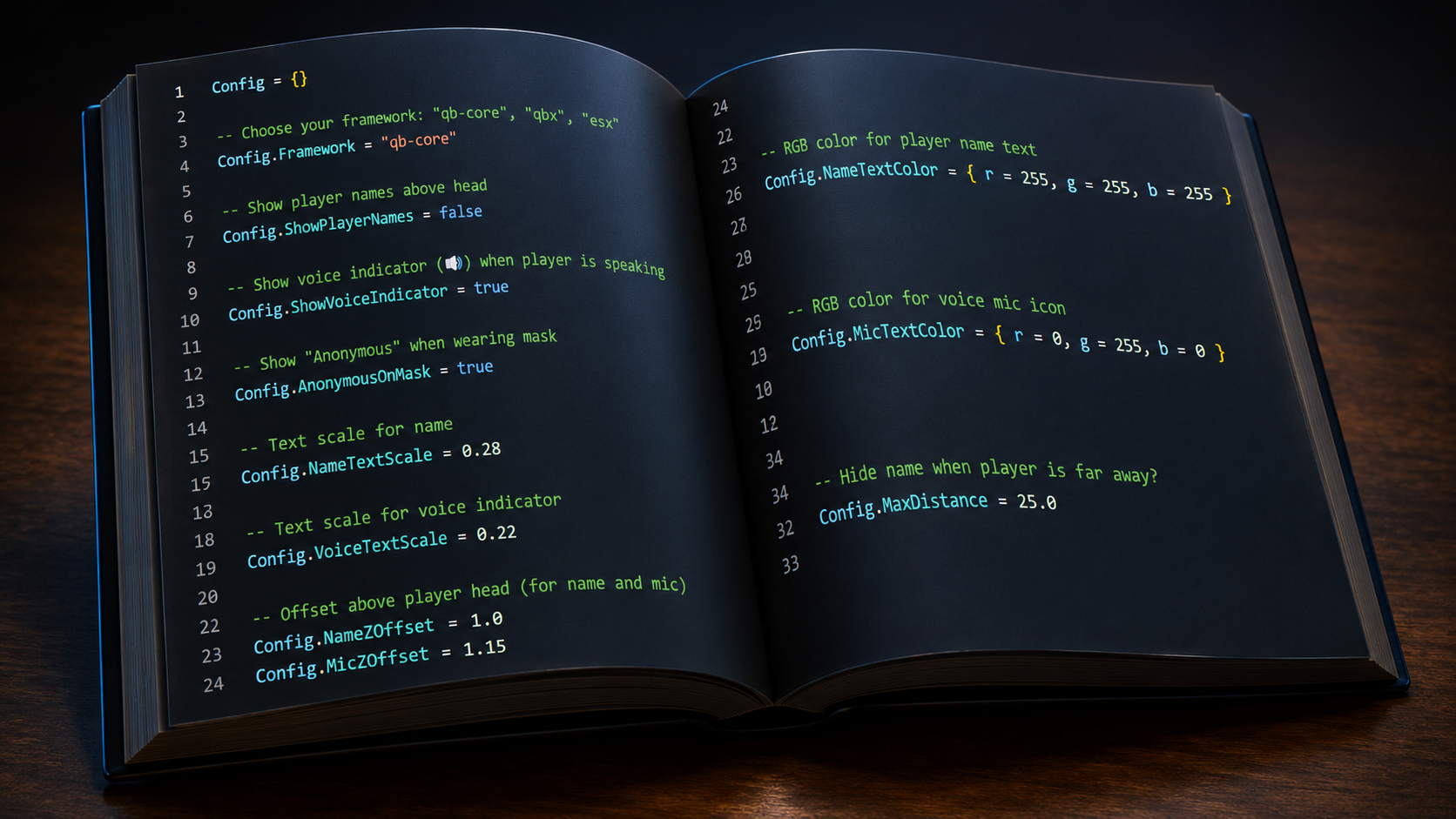
Enhance your FiveM roleplay experience with HEAD UI, a realistic identity and voice indicator system designed to improve immersion, roleplay quality, and player interactions.

This system intelligently manages player identity visibility and provides a clear voice indicator, making RP situations more realistic and organized.

Features:

Mask Identity System

  • Automatically hides a player's identity when they wear a mask.

  • Displays "Anonymous" instead of the player's real citizen name while masked.

  • Restores the original citizen name once the mask is removed.

  • Helps prevent metagaming and encourages realistic roleplay interactions.

  • The entire feature can be easily enabled or disabled through the configuration file.

Voice Indicator System

  • Displays a microphone indicator above a player's head while they are speaking.

  • Makes it easier to identify who is talking during crowded RP scenarios.

  • Helps staff and players recognize conversations more naturally.

  • Provides a more realistic and immersive communication experience.

Customization:

All features in HEAD UI are fully configurable through the config file, allowing server owners to enable, disable, or adjust settings according to their roleplay requirements.

Performance:

Designed to be lightweight and optimized, ensuring smooth performance without affecting your server's gameplay experience.

Installation Guide:

  1. Drag and drop the resource into your server's resources folder.

  2. Configure the settings according to your server's preferences.

  3. Restart your server and enjoy the enhanced roleplay experience.

385cab1b860de944ba63a7da8c2d254cffb42a44.png

Disclaimer:

This product may contain Re-Development Studios branding. However, this will not affect its functionality, as Re-Development Studios and OneEuro Store have officially merged.

Thank you for choosing and supporting OneEuro Store.


{Escrow}

QBox QBCore
1.14 $11.44 -90%
Add to Cart
escrow

Server Sided Visuals

Server Sided Visuals is a premium FiveM visual enhancement resource designed to improve the overall appearance of your server while maintaining smooth and stable performance. This resource works entirely server-side, allowing players to enjoy an enhanced visual experience without requiring additional graphic modifications or complicated client-side installations.

Whether your players use high end systems or low-end PCs, Server Sided Visuals helps create a more immersive environment through optimized visual improvements, improved assets, and better overall world presentation.

Features

Server-Side Visual Enhancements
Enhance the visual quality of your FiveM server with carefully optimized graphical improvements that are applied across the server environment.

Performance Optimized
Designed to provide visual upgrades without negatively impacting server stability or player performance, ensuring a smooth gameplay experience for everyone.

Optimized Asset & Props Replacement
Includes improved and optimized props that help create a more realistic and polished world while maintaining efficiency.

Low-End PC Friendly
Players with older or lower-spec hardware can still enjoy a better visual experience without significant performance loss.

Framework Compatible
Works seamlessly with most popular FiveM frameworks and resources, making integration simple and hassle-free.

Secure & Protected
Fully escrow protected to ensure security, reliability, and protection of the resource files.

Easy Installation
Simple drag-and-drop setup with minimal configuration required.

Benefits

  • Improved overall server appearance

  • More immersive gameplay experience

  • Better world detail and visual consistency

  • Optimized for long-term server performance

  • Suitable for both roleplay and custom servers

  • Professional-quality visual enhancements

  • No complicated setup process

Installation Guide

Step 1: Upload the resource to your server's resources folder.

Step 2: Add the resource to your server.cfg file:

Step 3: Place the ensure command near the bottom of your resource list to ensure proper loading order.

Step 4: Restart your server and enjoy the enhanced visuals.

Disclaimer

Re-Development Studios has officially merged with OneEuro Store. Due to this transition, some files, screenshots, interfaces, or documentation may still contain Re-Development Studios branding.

Please note that this is completely normal and does not affect the functionality, ownership, support, or authenticity of the product. All products are now officially maintained and supported by OneEuro Store.

[Qbcore]

{escrow}

Qbcore QBox
1.14 $11.44 -90%
Add to Cart
escrow

Radio V1

RADIO V1 is a radio system developed for the QBCore framework, designed to provide a smooth and reliable communication experience for your server. It can be used as a direct replacement for the default qb-radio resource and is easy to install.

Features:

  • Compatible with QBCore Framework

  • Simple and easy installation

  • Optimized performance

  • Clean and user-friendly interface

  • Escrow protected

  • Direct replacement for default qb-radio

Installation:

  1. Download the resource.

  2. Drag and drop it into your resources folder.

  3. Replace your default qb-radio resource with RADIO V1.

  4. Restart your server.

Disclaimer:
OneEuro Store has been merged with Re-Development Studios. As a result, you may still find references, branding, folder names, or comments related to Re-Development Studios in some parts of the resource. This is completely normal and does not affect the functionality, performance, or usability of the script. The resource is fully functional and available through OneEuro Store.


(( https://www.youtube.com/watch?v=v0nnK0KWadU ))

{escrow}

QBCore
1.14 $11.44 -90%
Add to Cart
Open Source

Emote Menu V1

Emote Menu [Open Source]

ANIMATION PACK is a collection of unique and high quality emotes designed to enhance the roleplay experience on your server. This pack includes a variety of rear emotes with props and features a carefully selected mix of animations inspired by multiple popular emote resources.

Whether you're looking to add more realism, interaction, or fun moments to your server, this animation pack offers a wide range of emotes suitable for different roleplay scenarios.

Features:

  • Open Source

  • Unique rear emotes with props

  • Large collection of roleplay animations

  • Smooth and easy to use

  • Compatible with QBCore and most FiveM servers

  • Lightweight and optimized

Installation:

  1. Drag and drop the resource into your server's resources folder.
  2. Add ensure dedly_animations to your server.cfg.
  3. Restart your server.

Disclaimer:
OneEuro Store has been merged with Re-Development Studios. As a result, you may still find references, branding, folder names, or comments related to Re-Development Studios in some parts of the resource.This is completely normal and does not affect the functionality, performance, or usability of the script. The resource is fully functional and available through OneEuro Store.

[ QBox ] [ QBCore ] [ ESX ] [ Standalone ]
(( https://www.youtube.com/watch?v=pbw4CjTysJc ))
{ Open Source } 

QBox QBCore ESX Standalone
11.44 $22.87 -50%
Add to Cart